

Optional comments & reviews settings
Our tool offers a wide range of settings that can be applied to reviews and comment sections nocode in the sparks editor.

Moderation
- Pre-moderation: Auto approve or manually approve new content in the content dashboard before publishing to your website
- One review per users (reviews only): When a member or guest (IP address) posts their first review for a CMS item or Ecommerce product, all subsequent reviews will be flagged and not published to your website. Switch on the IP tracking setting below to enable this setting for guests. Be sure to toggle on the IP tracking setting if you would like to switch this on for guests.
Spam Detection
One notable moderation setting is to switch on auto-spam detection for new content added to your site. When a comment or review is flagged as spam by our AI detection provider, it will not be auto-published to your website.
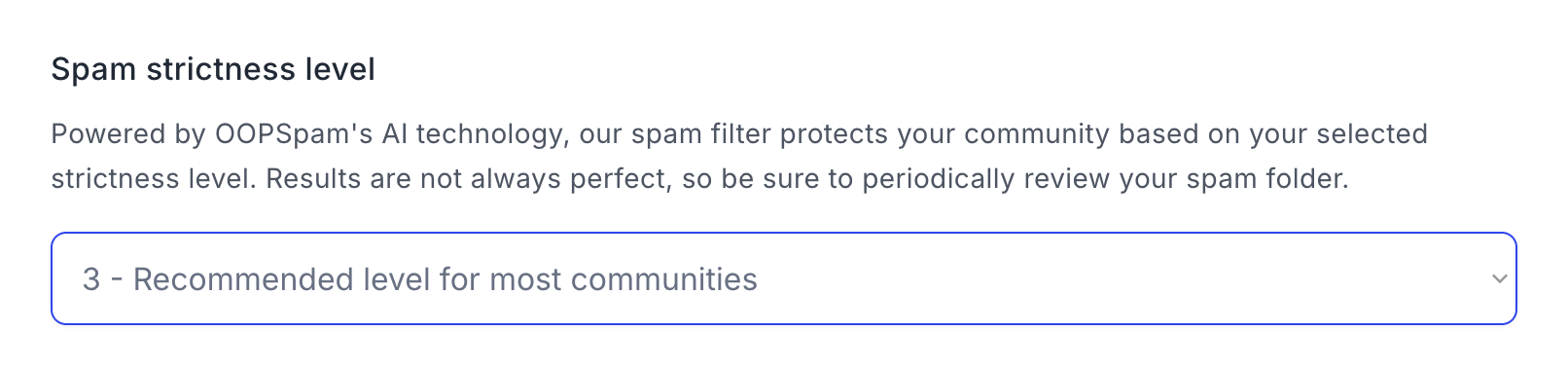
All user content that get flagged as spam can be reviewed in the Supersparks content dashboard. If a certain comment or review was incorrectly flagged, you can approve it to publish to your site.
We recommend a spam detection level of 2 or 3 for most communities, so only obvious spam is flagged while maintaining some leeway.
Notifications
- Account owner email notifications: Determine how often you would like to receive notifications when a new comment gets added to your site: never, daily report, or every time.
- Webhook: Configure a webhook, so a callback url of your choosing is notified with JSON data about a comment or review whenever one gets added to your website. This is great for triggering custom Zapier or Make automations for custom workflows with other tools. See below for a tutorial for setting this up for a comment section and community posting.
Presentation
- Sorting: Order comments or reviews by newest or oldest on page load.
- Replies sorting: Order replies to comments or reviews by newest or oldest on page load.
- Comment / reviews time format: Custom date/time format, including translating time ago format (eg. '6 hours ago') into up to 7 languages.
- Average rating decimals (reviews only): Choose the amount of decimals to show for average rating
CMS Data Sync
There are two different use case for this feature.
Total comments and average rating
Select a CMS collection and fields to sync average rating and total comments/reviews data into. This is great for show rating data in a CMS collection for dynamic sorting purposes. Or you can also use this data to create a custom schema. To learn more, be sure to take a look at the following tutorial.
Recent activity sorting
Through this feature, you can sort posts by default by recent activity (posts with most recent comments) inside your forums collection lists. While this feature is commonly used on forums to make sure users see new activity in topics by keeping active conversations at the top, you can also use this for other types of communities (eg. directories, social media sites, etc). For more details, watch the tutorial below:
Ad-hoc attributes
Reply form hide
Most of our comment and reviews components come installed with a component for hiding the reply form when a reply gets hosted. However, if you have a component that does not have this capability, you just need to add the following attribute to your reply form elements in your comment or reviews sections.
sparks-reply-hide = yes
.svg)


